TU ANUNCIO / YOUR PUBLICITY

AQUÍ PODRÍA ESTAR TU ANUNCIO: / HERE COULD BE YOUR AD E-mail
Mostrando entradas con la etiqueta Programming tricks. Mostrar todas las entradas

martes, 20 de octubre de 2015

Cálculo aproximado de áreas con Android

Puedes descargarte desde Play-Store de Google una aplicación en Android que nos permitirá medir áreas "in situ" con nuestro dispositivo Android y exportarlas a dxf (CAD)

You can download from Google Play-Store an Android application that will allow us to measure areas "in situ" with our Android device and export them to dxf (CAD)

Descargar programa


Instrucciones de uso:/Instructions for use:


La primera pantalla que nos aparecerá será la siguiente:

The first screen that will appear to us will be the following one


Obviamente deberemos tener GPS y estar activado. Si no ocurre esto el programa nos avisará.

Continuando. Pulsamos el botón GPS tal como nos indica el programa:

Obviously we must have GPS and this be enabled. If this does not happen the program will notify us.
Continuing. Press the GPS button as indicated by the program:


Conviene esperar hasta que se reduzca al máximo el error:
It is advisable to wait until the error was reduced to the maximum


Cuando tengamos un error decente pulsaremos en "Marcar" y empezaremos el paseo por el perímetro exterior de la parcela que queramos medir:
When we have a little mistake, press in "Mark" and begin the walk around the outside perimeter of the plot we want to measure:


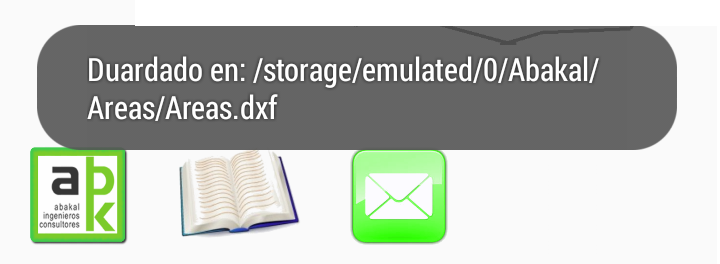
Cuando le demos a parar nos aparecerá el siguiente mensaje:
When we press stop, the following message will appear:

Y en el directorio marcado estará nuestro archivo dxf por si quisiéramos usarlo en nuestro programa CAD:
And in the marked folder will be our dxf file in case we want to use it in our CAD program:


NOTAS:


Dado que es un método aproximado y depende de la exactitud del GPS de nuestro móvil, no hay que esperar milagros sólo una medida cercana a la realidad.

Campo abierto da mejores resultados que en medio de una ciudad. Los edificios interfieren con la señal del GPS.

Es recomendable andar despacio al recorrer el perímetro. Cuantos más puntos obtenidos se mejora la exactitud y además se le permite al GPS acertar mejor con la situación en dónde estamos.


NOTES:


It is an approximate method and depends on the accuracy of the GPS of our mobile, not to expect miracles only a measure close to reality.

Open field gives better results than in the middle of a city. Buildings interfere with the GPS signal.

It is advisable to walk slowly as you go around the perimeter. The more points obtained, the accuracy is improved and the GPS is also enabled to better match the situation where we are.


viernes, 26 de junio de 2015

Reading data from files msg (Outlook) with VB6 / Lectura de datos de ficheros msg (de Outlook) con VB6

Vamos a exponer, no una sino 3 formas diferentes de poder obtener los datos de un fichero de formato msg de Outlook
Let's expose, not one but three different ways to get data from "msg" file format of Outlook.

Sistema 1: con la ayuda de EAGetMailObj / System 1: with the help of EAGetMailObj


Se incorpora como referencia de esta manera:
It is incorporated by reference in this way


Si no tenemos esta biblioteca se consigue instalando EASendMail:
If you do not have this library is achieved by installing EASendMail:

Se puede descargar el programa desde aquí:
You can download the program here:

También se puede buscar EASendMail y buscarlo por nuestra cuenta. Una vez instalado, ya tendremos este componente para nuestros programas de VB. Necesitamos instalarlo peno no hace falta usarlo. Lo importante es tener este grupo de bibliotecas dll:
You can also search EASendMail and look for ourselves. Once installed, we will have this component to our programs VB. Penile need to install needless use. The important thing is to have this group of dll libraries:

La función que necesitaremos será algo parecida a ésta:
The function we need is something like this:

Sub LeeMSG(ByVal msgF As String)
    Dim oCorreo As New EAGetMailObjLib.Mail
    oCorreo.LicenseCode = "TryIt"

On Error GoTo 100
 Dim texto As String
 texto = ""
 Dim previo As String
    oCorreo.LoadOMSGFile msgF
    Dim Destinatarios
    Dim i As Integer
    Dim Destinatario As EAGetMailObjLib.MailAddress
  
        'MOSTRANDO FECHA
        MsgBox oCorreo.SentDate

        'MOSTRANDO Remitente
        MsgBox oCorreo.From.Address

        'MOSTRANDO DESTINATARIOS
        Destinatarios = oMail.To
        For i = LBound(Destinatarios) To UBound(Destinatarios)
            Set Destinatario = Destinatarios(i)
            MsgBox Destinatario.Address
        Next
    
        'MOSTRANDOS CON COPIAS
        Destinatarios = oMail.Cc
        For i = LBound(Destinatarios) To UBound(Destinatarios)
            Set Destinatario = Destinatarios(i)
            MsgBox Destinatario.Address
        Next

        'MOSTRANDO ASUNTOS
         MsgBox oCorreo.Subject
  
       ' MOSTRANDO TEXTO DEL CORREO
       'MsgBox "Texto del correo: " & oCorreo.TextBody

       ' MOSTRANDO HTML body
       'MsgBox "CUERPO Html: " & oCorreo.HtmlBody
       'filecopy msgfiletexto+".msg"
    
       ' MOSTRANDO ADJUNTOS
       'Dim adjuntos
       'Dim adjunto As EAGetMailObjLib.Attachment

       'adjuntos = oCorreo.Attachments
       'For i = LBound(adjuntos) To UBound(adjuntos)
       '    Set adjunto = adjuntos(i)
       '    MsgBox "Adjuntos: " & adjunto.Name
       'Next

    Exit Sub
10:
    'MsgBox Err.Description
End Sub

Hasta aquí mostramos como obtener los datos y visualizarlos con un mensaje de texto pero es obvio que se puede hacer cualquier cosa con ellos.
Thus far we show how to obtain the data and view them with a text message but obviously you can do anything with them.

Sistema 2: Con la ayuda de msgtool.exe / System 2 With the help of msgtool.exe

Puedes descargarlo de: You can download from:


O simplemente buscando msgtools en Google.
Or just looking msgtools in Google.

Nos dará un comando para utilizar en linea:
This will give us a command to use:

                    msgtool -c origen.msg > destino.eml

Podría utilizarse la función Shell de VB. Al ser esta función asíncrona es posible que cuando quisiñeramos leer los datos del fichero de texto "eml" todavía no se hubiera creado. por ello utilizaremos la función Ejecutar:

Private Declare Function ShellExecute Lib "shell32.dll" Alias "ShellExecuteA" (ByVal hwnd As Long, ByVal lpOperation As String, ByVal lpFile As String, ByVal lpParameters As String, ByVal lpDirectory As String, ByVal nShowCmd As Long) As Long

Private Declare Function OpenProcess Lib "kernel32" (ByVal dwDesiredAccess As Long, ByVal bInheritHandle As Long, ByVal dwProcessId As Long) As Long

Private Declare Function GetExitCodeProcess Lib "kernel32" (ByVal hProcess As Long, lpExitCode As Long) As Long

Const STILL_ACTIVE = &H103
Const PROCESS_QUERY_INFORMATION = &H400

Public Sub Ejecutar(ByVal CmdLine As String)
On Error GoTo 20
Dim hProcess As Long
Dim RetVal As Long
hProcess = OpenProcess(PROCESS_QUERY_INFORMATION, False, Shell(Chr(34) + CmdLine + Chr(34), 7))
Do
    GetExitCodeProcess hProcess, RetVal
    DoEvents
Loop While RetVal = STILL_ACTIVE
Exit Sub
20 MsgBox "error"
End Sub

La segunda pega consiste en la decodificación UTF-8. Podríamos utilizar las siguientes funciones de codificación-decodificación:

Function isUTF8(ByVal ptstr As String)
    Dim tUTFencoded As String
    Dim tUTFencodedaux
    Dim tUTFencodedASCII As String
    Dim ptstrASCII As String
    Dim iaux, iaux2 As Integer
    Dim ffound As Boolean
    ffound = False
    ptstrASCII = ""
    For iaux = 1 To Len(ptstr)
        ptstrASCII = ptstrASCII & Asc(Mid(ptstr, iaux, 1)) & "|"
    Next
    tUTFencoded = "Ä|Ã…|Ç|É|Ñ|Ö|ÃŒ|á|à |â|ä|ã|Ã¥|ç|é|è|ê|ë|í|ì|î|ï|ñ|ó|ò|ô|ö|õ|ú|ù|û|ü|â€|°|¢|£|§|•|¶|ß|®|©|â„¢|´|¨|â‰|Æ|Ø|∞|±|≤|≥|Â¥|µ|∂|∑|∏|Ï€|∫|ª|º|Ω|æ|ø|¿|¡|¬|√|Æ’|≈|∆|«|»|…| |À|Ã|Õ|Å’|Å“|–|—|“|”|‘|’|÷|â—Š|ÿ|Ÿ|⁄|€|‹|›|fi|fl|‡|·|‚|„|‰|Â|Ú|Á|Ë|È|Í|ÃŽ|Ï|ÃŒ|Ó|Ô||Ã’|Ú|Û|Ù|ı|ˆ|Ëœ|¯|˘|Ë™|Ëš|¸|˝|Ë›|ˇ|Å |Å¡|¦|²|³|¹|¼|½|¾|Ð|×|Ý|Þ|ð|ý|þ|â‰|∞|≤|≥|∂|∑|∏|Ï€|∫|Ω|√|≈|∆|â—Š|⁄|fi|fl||ı|˘|Ë™|Ëš|˝|Ë›|ˇ"
    tUTFencodedaux = Split(tUTFencoded, "|")
    If UBound(tUTFencodedaux) > 0 Then
        iaux = 0
        Do While Not ffound And Not iaux > UBound(tUTFencodedaux)
            If InStr(1, ptstr, tUTFencodedaux(iaux), vbTextCompare) > 0 Then
                ffound = True
            End If
            If Not ffound Then
                tUTFencodedASCII = ""
                For iaux2 = 1 To Len(tUTFencodedaux(iaux))
                    tUTFencodedASCII = tUTFencodedASCII & Asc(Mid(tUTFencodedaux(iaux), iaux2, 1)) & "|"
                Next
                If InStr(1, ptstrASCII, tUTFencodedASCII) > 0 Then
                    ffound = True
                End If
            End If
            iaux = iaux + 1
        Loop
    End If
    isUTF8 = ffound
End Function

Function DecodeUTF8(s)
  Dim i
  Dim c
  Dim n
  s = s & " "
  i = 1
  Do While i <= Len(s)
    c = Asc(Mid(s, i, 1))
    If c And &H80 Then
      n = 1
      Do While i + n < Len(s)
        If (Asc(Mid(s, i + n, 1)) And &HC0) <> &H80 Then
          Exit Do
        End If
        n = n + 1
      Loop
      If n = 2 And ((c And &HE0) = &HC0) Then
        c = Asc(Mid(s, i + 1, 1)) + &H40 * (c And &H1)
      Else
        c = 191
      End If
      s = Left(s, i - 1) + Chr(c) + Mid(s, i + n)
    End If
    i = i + 1
  Loop
  DecodeUTF8 = s
End Function

Como el fichero "eml" es de texto simplemente es entretenido obtener la información con las clásicas funciones de text Right, Left, Mid y Replace.
As the file "eml" is text, it's just fun to get the information with the classic text functions Right, Left, Mid and Replace.

Solución 3: Con la biblioteca de Outlook / Solution 3: With the Outlook library.

Esta solución es la que menos me gusta porque es rendirse a Microsoft. Pero cuando todo lo demás falla y estamos obligados a trabajar con el formato msg. ¿Qué se puede hacer?


Añadimos en Referencias la biblioteca de Outlook e incorporamos el siguiente extracto de código donde queramos:
References add Outlook library and add the following code excerpt where we want:

Dim ol As Outlook.Application
Dim msg As Outlook.MailItem
Set ol = New Outlook.Application
Set msg = ol.CreateItemFromTemplate(eso)
    MsgBox msg.SenderEmailAddress
    MsgBox msg.ReceivedTime
    MsgBox msg.To
    MsgBox msg.Subject
...
Set ol = Nothing
Set msg = Nothing

En lugar de utilizar la función MsgBox para visualizar los datos podemos hacer cualquier otra cosa con estos datos.
Instead of using the MsgBox function to display data we can do anything with this information.

NOTA IMPORTANTE: Puede saltarlos este mensaje:
IMPORTANT NOTE: It can be shown this message:


Si no queremos que salga tendremos que abrir Outlook, >> Programador >> Seguridad de Macros >> Acceso mediante programación >> No avisarme nunca de actividad sospechosa.


Está claro que de nosotros si nos podemos fiar pero hemos dejado la puerta abierta para otros. CUIDADO, Como siempre en Microsoft, la seguridad es parcial.

It is clear that for us if we can trust but have left the door open for others. CARE, As always Microsoft, security is partial.


domingo, 7 de junio de 2015

How to make synchronous the Shell function / Cómo hacer sincrona la función Shell

A veces necesitamos que esté completamente ejecutado el programa que hemos llamado desde shell para poder seguir trabajando. Por ejemplo cuando este debe crear un archivo y queremos trabajar sobre el archivo ya creado.
Sometimes we need the program we have called from shell to continue working be completely executed. For example when you create a file and want to work on the file already created.

Para ello la mejor solución es no usar la función shell directamente. Nos crearemos nuestra propia función de lanzamiento de programas:
For this, the best solution is not to use directly the shell function. We create our own function launching programs:

Previamente definiremos estas funciones:
Previously we define these functions:

Private Declare Function OpenProcess Lib "kernel32" (ByVal dwDesiredAccess As Long, ByVal bInheritHandle As Long, ByVal dwProcessId As Long) As Long

Private Declare Function GetExitCodeProcess Lib "kernel32" (ByVal hProcess As Long, lpExitCode As Long) As Long
Const STILL_ACTIVE = &H103
Const PROCESS_QUERY_INFORMATION = &H400

_____________________________________________________________

Public Sub Ejecutar(ByVal Ordenes As String)
On Error GoTo 20

Dim hProceso As Long
Dim Terminado As Long
hProceso = OpenProcess(PROCESS_QUERY_INFORMATION, False, Shell(Ordenes, 7))
Do
    GetExitCodeProcess hProcesoTerminado
    DoEvents 'Esto permite esperar sin "colgar" el programa
Loop While Terminado = STILL_ACTIVE
Exit Sub

20 MsgBox "error"
End Sub


Dim ccc,tal as string
ccc=chr(34) ' carácter espacial comillas
tal = ccc & "C:\Ruta del programa\programa.exe" & ccc & " -a -b -c " & ccc & "parametro con espacios 1" & ccc & " " & ccc & "parametro con espacios2" & ccc
Open App.Path + "\pepa.bat" For Output As #1
        Print #1, tal
Close #1
Shell App.Path + "\pepa.bat",0


Lo cambiaremos a: / We will change it to:

Dim ccc,tal as string
ccc=chr(34) ' carácter espacial comillas
tal = ccc & "C:\Ruta del programa\programa.exe" & ccc & " -a -b -c " & ccc & "parametro con espacios 1" & ccc & " " & ccc & "parametro con espacios2" & ccc
Open App.Path + "\pepa.bat" For Output As #1
        Print #1, tal
Close #1
Ejecutar App.Path + "\pepa.bat"

Y ahora sí que hemos terminado con todos los problemas de espacios en blanco y sincronía.
And now we have finished with all the problems of blank spaces and sync.


sábado, 6 de junio de 2015

Solution of spaces in the path of the Shell Function in Visual Basic / Solucion definitova para los espacios en las rutas con la función Shell en Visual Basic

Cuando queremos que sea ejecutado un comando (o programa) de MSDOS desde nuestro programa de Visual Basic solemos recurrir a la función SHELL. De tal manera:
When we want a MSDOS command (or program) to be run from our Visual Basic program SHELL usually resort to function. Such a way:

programa.exe -a -b -c parametro1 parametro2

Escribiremos en nuestro programa:
We write in our program:

Shell  "programa.exe -a -b -c parametro1 parametro2",0

El problema reside cuando hay espacios en blanco:
The problem is when there are blanks spaces:

C:\Ruta del programa\programa.exe -a -b -c parametro con espacios 2 parametro con espacios 2

Está claro que esto no funciona ni en el terminal. Deberíamos escribir:
Clearly, this does not work or the terminal. We should write:

"C:\Ruta del programa\programa.exe" -a -b -c "parametro con espacios 2" "parametro con espacios 2"

Y esperamos que en nuestro programa podamos escribir:
And we hope that in our program we can write:

Dim ccc as string
ccc=chr(34) ' carácter espacial comillas
Shell  ccc & "C:\Ruta del programa\programa.exe" & ccc & " -a -b -c " & ccc & "parametro con espacios 1" & ccc & " " & ccc & "parametro con espacios2" & ccc,0

Si funciona hemos terminado con el problema.
If it works we have done with the problem.

Si no funciona ¿Qué está ocurriendo? ¿Porque funcionan las comillas en MSDOS, en la terminal y no funciona desde Shell.
Case of malfunction what is happening? Why the quotes work on MSDOS, in the terminal and does not work from Shell.

Solución definitiva / Ultimate solution


Esta solución deberíamos intentarla cuando todo sale mal porque es muy retorcida. Lo que haremos será crear un archivo .bat (archivo de procesamiento por lotes) y luego ejecutar éste desde Shell.
This solution should try it when everything goes wrong because it is so twisted. What we will do is create a .bat file (batch) and then run it from Shell.

Dim ccc,tal as string
ccc=chr(34) ' carácter espacial comillas
tal = ccc & "C:\Ruta del programa\programa.exe" & ccc & " -a -b -c " & ccc & "parametro con espacios 1" & ccc & " " & ccc & "parametro con espacios2" & ccc
Open App.Path + "\pepa.bat" For Output As #1
        Print #1, tal
Close #1
Shell App.Path + "\pepa.bat",0


Otro tema es la asincronía del programa Shell esto lo salvaremos en la siguiente entrega.
Another issue is the asynchrony of the Shell program. This will be saved in the next installment.


sábado, 13 de diciembre de 2014

Coordinates and operations in fractals systems II / Coordenadas y operaciones en sistemas fractales II

Diagrama fractal / Fractal diagram

Suele ser muy difícil "ver" unas coordinadas fractales y, sobre todo operar con ellas porque estas coordenadas no se entienden bien. Por ello se nos ha ocurrido realizar un esquema para visualizarlas:

It is usually very difficult "to see" a fractal coordinated and above all operate with them because these coordinates are not well understood. Therefore we have come to us to make a scheme for display:


Explicación: para llegar al Punto A, partimos desde el Origen. Éste no tiene porqué estar en una bifurcación, en la imagen superior le hemos colocado a - 8.597 uds de la 1ª bifurcación (MO). Luego seguimos la ruta, pasando por los nudos 6, 4, 3, y 3. Después recorre 1.569 uds (MA) de la última espiral (en caso de las espirales estudiadas con anterioridad). (8.597 + 1.569 = 10.166; M+ MA) Así pues, el Punto A es: {(6, 4, 3, 3); 10,166}. Para el Punto B: el {(4, 6, 2, 0, 1, 2); 11.502}.

Explanation: to reach the point A, we start from the origin. This does not have to be at a bifurcation in the picture above we will have placed - 8,597 units of the 1st bifurcation (MO). Then we follow the route through the nodes 6, 4, 3, and 3. After walking 1,569 units (MA) of the last spiral (in case of spirals studied previously). (8,597 + 1,569 = 10,166; MMA) Thus, the point A is: {(6, 4, 3, 3); 10,166}. Point B is {(4, 6, 2, 0, 1, 2); 11,502}.

Forma general: General form : OA = {(A1, A2, …, Ap), MMO}

Distancias relativas, vectores. / Relative distances. Vectors.


La nueva dificultad radica en cambiar el origen y/o obtener coordenadas relativas. Es decir ¿Cual es la coordenada de O y de B respecto a A. La solución, es emplear números negativos, -1 significará retroceder hasta la bifurcación inmediata anterior; -2, retroceder hasta 2 bifurcaciones y así sucesivamente. De esta manera O(respecto a A) sería el  {(-4); 10.166} y B (respecto a A) sería el {(-4, 4, 6, 2, 0, 1, 2); 4.474}.

The new challenge is to change the source and / or to obtain relative coordinates. Ie What is the coordinate of O, and B to A. The solution is to use negative numbers, -1 means back to the previous immediate bifurcation; -2, Back to 2 forks and so on. Thus O (relative to A) would be {(-4); 10166} and B (with respect to A) would be {(-4, 4, 6, 2, 0, 1, 2); 4,474}

Estas serían todas las coordenadas: / These would all coordinates:

OA = {(6, 4, 3, 3); 10,166}
OB = {(4, 6, 2, 0, 1, 2); 11.502}

Para la realización tenemos dos posibilidades:
For the realization we have two possibilities:

  1. La más breve consiste en que los números negativos indiquen retroceder el número de nodos superiores anteriores. The short is that negative numbers indicate the number of previous back top nodes.
              AO = {(-4); -10.166}
              BO = {(-6); -11.502}
              OA = {(-p), -(MMO)}
         Este sistema tiene el impedimento de no tener memoria del movimiento realizado.
         This system has a fault, it has no memory of the movement performed.
  1. La otra posibilidad es la de ir restando en sucesión todos los pasos a nodos anteriores, se separan los superiores: The other possibility is to go subtracting in succession all the steps above nodes. separate upper
              AO =  {(-3, -3, -4, -6); -10.166}
              BO =  {(-2, -1, 0, -2, -6, -4); -11.502}
              AO =  {(-Ap, -Ap-1, …, -A1), -( MM)}
         Este sistema tiene memoria pero es más largo
         This system has memory but longer

De igual manera para poder definir los vectores relativos entre dos puntos se podría pensar en los dos puntos de vista:
Similarly to define the vectors relative between two points could think of two views:

  1. La más breve / The shorter
AB = {(-4, 4, 6, 2, 0, 1, 2); -1,336}
BA = {(-6, 6, 4, 3, 3); 1,336}
AB = {(-p, B1, B2, …, Bq), ( MM)}
BA = {(-q, A1, A2, …, Ap), ( MM)}

  1. La más completa y con memoria / The most comprehensive and with memory
AB = {(-2, -1, 0, -2, -6, -4, 6, 2, 4, 3, 3); -1,336}
BA = {(-3, -3, -4, -6, 4, 6, 2, 0, 1, 2); 1,336}
AB = {(-Ap, -Ap-1, …, -A1, B1, B2, …, Bq), ( MM)}
BA = {(-Bq, -Bq-1, …, -B1 , A1, A2, …, Ap)( MM)}

Suma de vectores: / Vector Addition:


OA + OB = {(A1, A2, …, Ap, B1, B2, …, Bq), M+ M+ 2·MO}
OA + AB = {(A1, A2, …, Ap-Ap, -Ap-1, …, -A1, B1), B2, …, Bq), ( MM)}

Sistema de reducción de opuestos: Reduction system of opposite values:

OA + AB = {(A1, A2, …, Ap-Ap, -Ap-1, …, -A1, B1, B2, …, Bq), ( MM)}
OA + AB = {(A1, A2, …,            , -Ap-1, …, -A1, B1, B2, …, Bq), ( MM)}

Subsiguientemente: / subsequently:

OA + AB = {(B1, B2, …, Bq), ( MM)} = AB

Ejemplo: Example


  OA = {(6, 4, 3, 3); 10,166}
  AB = {(-3, -3, -4, -6, 4, 6, 2, 0, 1, 2); -1,336}

  OA + AB = {(6, 4, 3, 3,-3, -3, -4, -6, 4, 6, 2, 0, 1, 2);11.502}
  OA + AB = {(6, 4, 3,  -3, -4, -6, 4, 6, 2, 0, 1, 2); 11.502}
  OA + AB = {(6, 4,  -4, -6, 4, 6, 2, 0, 1, 2); 11.502
  OA + AB = {(6, -6, 4, 6, 2, 0, 1, 2); 11.502}
  OA + AB = {(4, 6, 2, 0, 1, 2); 11.502}= OB

c.q.d. / as was shown


viernes, 12 de diciembre de 2014

Coordinates in fractals systems II / Coordenadas en sistemas fractales II


Introducción y definiciones / Introduction and Definitions


Como ya se viera en: Coordinates in fractals systems I / Coordenadas en sistemas fractales I. Para poder definir un punto en coordenadas relativas en nuestro fractal se podrían disponer de la siguiente manera:

As you saw in: Coordinates in fractals systems I / Coordenadas en sistemas fractales I. The definition of a point in our fractal relative coordinates could be as follows:

 {(A1, A2, …, An), M} con AΠ\mathbb{Z} \!\, y M e Î \mathbb{R} \!\,


El grado de precisión se definía por el valor e, La sucesión tenía un máximo que le limitaba este valor de e1 y M quedaba limitado a ± e2

The degree of accuracy is defined by the value e, The sequence had a maximum which limited the value of e1 and M was limited to M ± e2.

En el artículo anterior, hemos estudiado los casos en que,
In the previous article, we studied cases where,

  • [e1 = ee2 no importa] El estar en una espiral máxima hace que M sea irrelevante. Being in a high spiral makes M irrelevant.
                          {(A1, A2, …, An), _ } con AΠ\mathbb{Z} \!\,  y e Î \mathbb{R} \!\,,
                                            n = f(e) = ( log(R0) - log(e) ) / log(4)
  • [e1 = no importa, ee] El hacer el recorrido máximo por la espiral 0 hace que la sucesión An sea irrelevante. n = f(e). The maximum journey through the spiral 0 makes the succession An irrelevant. n = f (e).
                          { 0 , ± } M, e Î \mathbb{R} \!\, 

Lo difícil será ahora ver la relación entre  n, eR0e1, y e2.
The challenge will now see the relationship between n, e, R0, e1, and e2.

Un ejemplo. An example.


Es más fácil verlo desde un ejemplo:

Sea la función semilla:
       r = R0e(-ka) = 1000 · e (-a/10)
       cada múltiplo de p/5 se crea otra rama con rn=r(a)/4


Se define la posición: {(5, 4, 12, 0 ,9), 12.259} ¿Qué precisión tiene?


El primer valor 5, nos va a indicar que está en la quinta bifurcación de r se pasa a 1000 · exp(-(p/5*5) / 10 ) = 730.403 al entrar r pasa a r*1/4, 182.601; luego se desplaza hasta la cuarta bifurcación, 182.601*exp(-(p/5*4)/10) = 142.021; al entrar r pasa a r*1/4, 35.505; luego se desplaza hasta la duodécima bifurcación, 35.505*exp(-(p/5*12)/10) = 16.7048;al entrar r pasa a r*1/4, 4.1762; luego no se desplaza (valor 0); al entrar r pasa a r*1/4, 1.04405; luego se desplaza hasta la novena, 1.04405*exp(-(p/5*9)/10) = 0.5931; 

En este momento la precisión de la sucesión es 0.5931 (e1). LA precisión del segundo al estar en notación decimal será de ± 0.1, ya que 0.1 < 0.5931. (luego e = e2 si e < e1)

    {(5, 4, 12, 0 ,9), 12.259 ± 0.1}, con e= 0.1 en longitudes

Si lo quisiéramos con respecto al ángulo, en vez de a la longitud tendríamos que ver que el recorrido es de 12.259 ± 0.1 unidades.  Con la función r = R0e(-ka) lla longitud sería = -R0/k·e(-ka) + R0/k = 12.259, es decir, 0.5931/10·e(-a/10) – 0.5931 / 10 = 12.259 de donde a = 53.26413radianes. Con 12.259 +1, a = 53.2649 radianes y con 12.259 -1, a = 53.2633 radianes.

    {(5, 4, 12, 0 ,9), 53.2641 ± 0.0008}, con e= 0.0008 en radianes


Para este cálculo y dibujo se ha utilizado esta subrutina:
For this calculation and drawing this subroutine has been used:

Sub Rama(ByVal R As Double, ByVal x0 As Double, ByVal y0 As Double, ByVal a As Double, ByVal s As Double, ByVal ite As Integer)

If R < 5 Then Exit Sub ' Para evitar error de pila
col = QBColor(10 + ite)
R0 = R: ss = s + a

For i = a To 100 Step 0.01
  r1 = R0 * Exp(-i / 10)
  x = r1 * Cos(i) + x0
  y = r1 * Sin(i) + y0
  If i > ss Then 
         ' Iteración
         Rama R0/4, x-r1/4*Cos(i), y-r1/4*Sin(i), i, s, ite + 1
         ss = ss + s
  end if

  Picture1.PSet (x, y), col
  If r1 < 1 Then Exit Sub
Next i

End Sub


domingo, 15 de junio de 2014

Construction KML files for GOOGLE EARTH / Construcción de archivos KML (GOOGLE EARTH)


Para construir un archivo KML

ENCABEZADO:
<?xml version="1.0" encoding="UTF-8"?><kml xmlns="http://earth.google.com/kml/2.1"><Document>

DEFINICIÓN DE LOS ICONOS:
<Style id="cuacua">
<IconStyle><Icon><href>http://DONDEESTÉ/cuacua.jpg</href> </Icon>
<scale>0.5</scale>
</IconStyle>
</Style>

NOMBRE DEL OBJETO COMPLETO A INCRUSTAR:
<name>GUITIRIZ</name>

SITUACIÓN DE PUNTOS:
<Placemark>
<name>ABELLEIRA</name><description>Cuadro</description><styleUrl>#cuacua</styleUrl>
<Point>
<coordinates>-7.827769, 43.243973</coordinates>
</Point>
</Placemark>

DESCRIPCIÓN MÁS AMPLIA: ¿CON UN CÓDIGO HTML?
<description>
<![CDATA[
<html><body> <ul> <li>unacosa</li> <li>doscosa</li> <li>trecosa</li> </ul>
</body></html>
]]>
</description>

RUTA
<Placemark>
<name>Ruta</name>
<styleUrl>#ELQUESEA</styleUrl>
<LineString> <tessellate>1</tessellate>
<coordinates>
-7.831145169149639,43.24548111003632,0 -7.829838425578537,43.24543153520305,0 -7.828802085991362,43.24596206771469,0 -7.827556559695273,43.24629794655928,0
</coordinates>
</LineString>
</Placemark>

POLÍGONO
<Placemark>
<name>Polígono</name> <styleUrl>#ELQUESEA</styleUrl>
<Polygon> <tessellate>1</tessellate>
<outerBoundaryIs> <LinearRing>
<coordinates>
-7.831434018418226,43.24545399364921,0 -7.830158331852824,43.24602676219662,0 -7.830760553640029,43.24670912547285,0 -7.831434018418226,43.24545399364921,0
</coordinates>
</LinearRing> </outerBoundaryIs>
</Polygon>
</Placemark>
PIE
</Document></kml>